Vedu App

Vedu APK provides video entertainment and streaming content of movies, shows, TV channels, and other video categories free of cost.
Security Verified
Vedu
Vedu App is a full-featured video player which has the ability to watch and download movies, web series and videos for free. Moreover, we have designed the platform to perform at top level even on low end devices. It in turn makes it available to a wide range of users. Also, different from the traditional video players, Vedu App Install does not have monthly subscription or account sign up requirements. Users may instantly access the entertainment content with a few clicks which is what makes it.
From the newest release of the Saiyaara movie to classic all time Bollywood and Hollywood hits and also to all international film industries it has it all. Also, you can download what is available in their video library. In addition, it has ad free streaming, high definition quality, free of cost services without the need of registration, dark mode, inbuilt downloader and inbuilt media player. Moreover, which makes it the perfect destination for entertainment.
What is Vedu APK?
The Vedu APK 2027 Version is described as an online streaming platform. The app is created with the intent to serve as a convenient platform. Moreover, people can discover and watch movies, dramas, TV shows, web series, and various other kinds of videos. Also, this application promises to offer a broad spectrum of entertainment from India as well as all over the world.
Furthermore, these include entertainment from the Bollywood, Hollywood, Tamil, Punjabi, Tollywood, and Korean movie industries. In simple terms, Vedu APK App can be considered as a platform where people can search for various movies and shows, depending on what suits their interest.
Why do People Love Vedu APK?
From all over the world users come to this platform which they trust and love very much. Also, we see that audiences love this app for its large free library of media content. What users love about this app is the free access to watch anything from movies to cartoons we put on our huge free library.
Moreover, users love this app because of its wide range of features, easy to use interface and great streaming service. In some of the updated versions of Vedu APK Latest Version you get up to 4K video quality.
Key Features of Vedu App
Below are some of the best streaming options to guarantee an uninterrupted and high-definition streaming experience for you on your Android device.
Playback Customization
The Vedu App’s features include full control of your playback which is at the users’ fingertips. You can change the brightness by swiping up or down. Also, you may use the same swipe action to adjust volume. As for play back speed, that can be increased or decreased.
Sleep Timer
The app has a sleep feature for night use. As you start your video you may set a time. In addition, once that time is up the app will stop playing. Also, it at the same time saves data and battery life. Vedu APK Download is also very useful for bed time movie watching. Moreover, users enjoy the content without the bother of having to stop it.
Voice Command Support
The app has voice commands. We see to it that it works with Google Home and Amazon Echo. In addition, you can use your voice to search, play, or pause. This makes the app very friendly and also free of hands. Also, it is very helpful while you are multitasking or cooking meals.
Keyboard Shortcuts on PC
It has support for keyboard shortcuts which are in use on computers. Vedu App Online has a space bar for play/pause. Arrows keys for forward and back between scenes. Moreover, these shortcuts make for a faster and more comfortable desktop experience.
Wide Format Compatibility
Vedu Aap supports a large variety of video and audio formats. It plays MP4, MKV, AVI, FLV, MOV, and 3GP. Also, included are support for audio files like AAC, MP3, DTS, and AC3. Moreover, we also report that even HEVC encoded 4K videos play very smoothly.
Built-in Music Player.
The app is a full featured video and music player. Further, we have included in it the ability to play from your local storage. Also, Vedu App Saiyaara Movie has background music play which you control through the notification bar. In addition, we have auto video detection which looks through the device for media files.
Offline Downloads
Users may download content to view offline. This is useful for trips and in places without internet. In addition, once saved the media is available within the app for a later watch. Also, users are able to choose the quality of the downloads.
Release Notifications
It reports out immediately upon the release of new movies and shows. Moreover, this way our users don’t miss what is at the very latest point in content release. Notifications come through to the user’s device and also provide a direct link to the update.
Floating Player Mode
The app features a floating player for multitasking which is very handy. Users may watch videos in a small way that follows their mouse. Also, at the same time they can be using messaging or other applications.
Community Engagement
It has a built in platform for online discussions of issues which members are facing. Vedu App Premium post questions and also provide input. Movie fans we discuss reviews, updates, and breaking entertainment news here. Advanced Content Filtering
The app has in depth filters for sorting and presenting content. Furthermore, you can filter by year, country, or even movie genre. Also, it has latest releases and classic content separated out. These filters also make it very easy to find what you are looking for.
Live TV and Sports
The app has a wide range of live channels in addition to on demand movies and shows. We have sports events which you can watch live in the app. Also, it has full entertainment which includes live and recorded options. People enjoy cricket, football and TV news in the app without the need for third party apps.
| APP | Information |
| Name | Vadu |
| Size | 42.7 MB |
| Version | 1.0.24 |
| Total Download | 5.5 Million |
| Requirements | 4.0 and up |
| Languages | 52+ |
| Last Update | Today |
Press The Button To Start Download
How to Install Vedu APK on Android?
Vedu is a digital entertainment platform we have put out for the Android system. From the link above you can also get the App package. Here we will guide you through the simple installation of the app in the steps below:
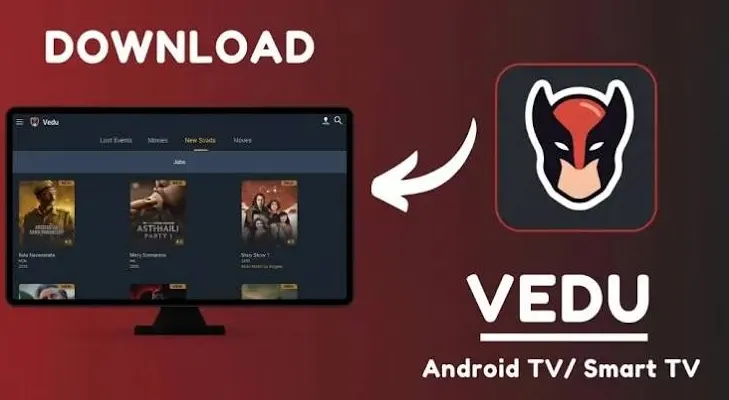
Download and Install the Vedu APK on Smart TV
For best performance get your Smart TV/Android TV connected to a fast and stable internet.
How to Download and Install Vedu APK for iOS?
How to Download Vedu APK for PC?
First go to BlueStacks’ official site and download.
After you download the emulator choose the install option which will start the installation. Once the installation is complete. Open the emulator.
Content Collection on Vedu App
Movies
Here is a wide selection of what’s new and what’s classic, all at your disposal in high definition. Whatever your mood for action, romance, or comedy we’ve got a movie for you.
TV Shows
The TV Shows section is a great collection of many different options. Moreover, Vedu App Live TV has reality shows, dramas, and a variety of other entertainment. Also, you can watch what you love or try out something new.
Animation
The Animation section features great cartoons and films for kids and families. In addition, you will find a large selection of colorful and entertaining things to watch and enjoy as a group.
K-Drama
The Drama section features a large variety of Korean shows which include romance, mystery, and drama. Also, if you are a Korean drama fan we have plenty of new ones for you to watch and enjoy.
Shorts
The Short section has brief and fun videos for you to watch in a matter of minutes. If you are looking for quick Vedu App 2026 entertainment instead of a full length film, this is the right choice.
How to Use Vedu APK?
Vedu is one of the live stream sites that give the viewers the ability to watch videos from various sources on one platform. The following section will illustrate how to use this site for your convenience.
- Go to your browser and try out a search for the latest version of Vedu APK Old Version.
- Choose the reliable one source.
- Go to the download section and hit the download button.
- After downloading, open the file.
- Grant all basic permissions and to the file.
- Login to your account or if you are a guest continue without an account.
- Check out the home screen for trending, preferred new or other categories.
- Click any film to get started.
- You may also play around with different themes from the settings.
- Save for later if you don’t want to lose that.
- Enjoy your favorite movie or web series.
Alternatives to Vedu App
Let us enlist other Apps like Vedu App Download which do put forward alternatives for Android users.
ThopTV
ThopTV broadcasts live TV, movies, and sports around the world. It operates very efficiently on Android devices. Also, the application offers users searching filters, subtitles, and downloading features. Moreover, the app is popular among those who watch channels that are unavailable to them.
Oreo TV
Oreo TV we present to you a clean and easy to use interface which also happens to be global. It has films, news, and live sports in separate categories. Also, this Alternative to Vedu App has the offline mode feature which does not compromise on the quality of your downloads. Moreover, we see Oreo TV is a large player in the entertainment streaming field.
Pikashow
Pikashow has a wide variety of content including films, TV shows, and cricket matches on all your devices. What they have really done well is in live sports coverage. Also, what we see here is a seamless streaming experience and users are also given to control what and how is perfect.
Hotstar
Hotstar features films, sports, and TV shows. Moreover, they also have coverage of major cricket events and drama series from all over the world. What we get is Vedu APP Update great quality watch experience which is also very secure and safe. Also, Hotstar works very well on both Android and iOS platforms.
Tips for Better Playback
- Use low quality on slow connection.
- Close unused apps in the background.
- Keep enough free storage.
- Use stable Wi-Fi for large videos.
- Clear old cache when storage grows.
- When another server tries.
Pros and Cons
Pros:
Cons:
Conclusion
The Vedu App Latest Version is a quick and convenient movie platform. Also, the user gets web series, TV shows, and movies through this app. The movies from Bollywood, Hollywood, and regional cinemas can be watched on this app. Moreover, the app gives various categories such as comedy, action, and romance.
In addition, this app gives subtitles as well as many audio options. Navigation is very simple in Vedu APK Free Download. Search and filter options are available in the app which helps users to find their desired movies.